 EN
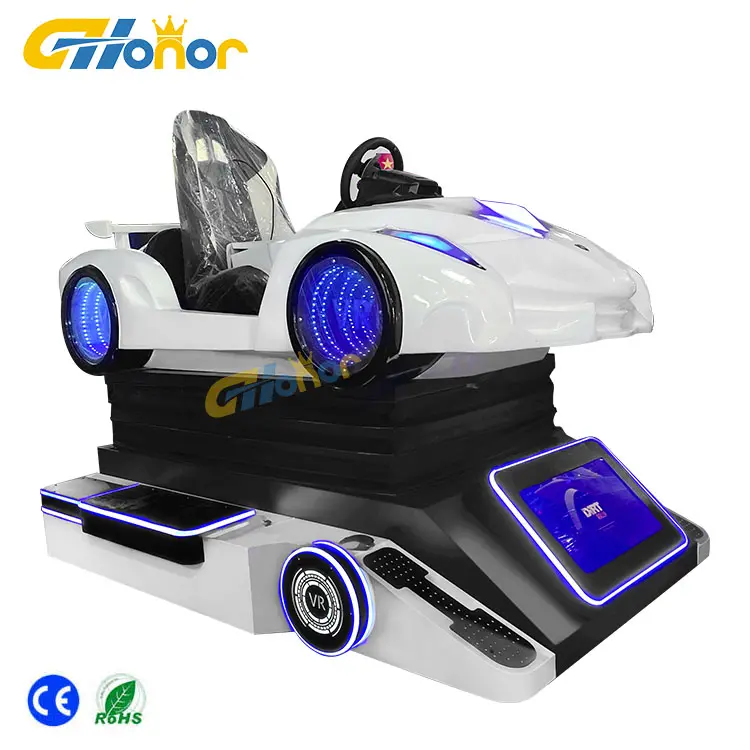
A VR attraction draws crowds on opening weekend, then repeat visits drop once the novelty fades. A VR Game Machine lives or dies by how often the content feels new, so a fixed update cadence matters more than the spec sheet. This guide covers content lifecycle, licensing, cloud versus local delivery, and scheduling that keeps players returning.
Build a content lifecycle plan before the first install
A 320 sqm family entertainment center in Malaysia opened with six VR cabinets. By month three, repeat visits fell roughly 40 percent because the same eight titles had run since launch with no refresh plan. The operator built an eight-week rotation calendar, split licensed packs from owned IP, and moved to overnight cloud patches. Within two months repeat visits recovered and average coin drop per visitor rose. Content planning belongs in the opening plan, not the crisis meeting.
A content lifecycle maps every title to a refresh date, a license type, and a removal rule, keeping the library fresh without emergency spend.
Map titles to a refresh calendar
The first step for any VR Game Machine operator is a simple spreadsheet: list each title, its genre, player count, and a target refresh week. High-turnover racing and shooting titles rotate every 6–8 weeks, while walk-through experiences hold for a season. A visible calendar stops the floor from running stale hits until nobody queues. This planning step turns random buys into a predictable content lifecycle that supports steady player retention.
Separate licensed packs from owned IP
Content arrives as licensed third-party packs or in-house IP the operator controls. Licensed packs expire and need renewal tracking; owned titles can be re-skinned or bundled freely. Keeping both in separate folders avoids accidental deletion during an update and makes license management auditable. A clear split also helps when negotiating multi-title bundles with a simulator software vendor, since usage data shows which licenses earn their fee.
Choose between cloud and local update channels
Connectivity decides the delivery method for every VR Game Machine; cloud push suits stable broadband, while local intranet or USB fits weak or metered links. Picking wrong wastes update windows and frustrates players mid-rollout, so match the channel to the site before signing a content contract with any supplier.
Cloud push for frequent small patches
Cloud delivery sends small patches overnight, so morning players see fixed bugs and new levels without staff touching the cabinet. The operator dashboard logs each download and flags failed pushes. For a multi-unit FEC, cloud sync keeps every VR Game Machine on the same build, preventing "why is yours different?" complaints at the counter. Bandwidth scheduling outside peak hours protects gameplay uptime and avoids lag during live sessions.
Local USB or intranet for weak connectivity
Island resorts, basement arcades, and remote mall wings often lack reliable internet. A staged local update via USB or a closed intranet server works better there. Staff load a verified content pack, run a checksum, then push to each cabinet. This method avoids cloud outages but demands disciplined file-naming and a version log so two similar titles don't overwrite. Hardware compatibility checks happen on one test unit before the fleet rollout begins.
Schedule updates to sustain repeat play
Refresh timing, not just frequency, drives return visits for a VR Game Machine; a predictable rhythm teaches regulars when to come back for something new.
Rotate content by weekday and season
Family entertainment centers see different crowds on weekdays versus weekends. Swap kid-friendly titles in on Saturday mornings and competitive leaderboard modes on Friday nights. Seasonal drops — horror packs for October, racing specials for summer — give a reason to revisit. This cadence, managed through the simulator software, keeps the floor feeling alive and lifts player retention. Data from the Malaysia FEC showed weekday repeat visits rose after a Friday-night rotation began.
Use operator dashboard data to decide swaps
Guesswork wastes budget. The operator dashboard shows play counts, session length, and drop-off points per title. Titles with falling session length retire early; sleeper hits move to prime cabinets. Reading this data monthly turns content lifecycle decisions from opinion into evidence, so spend follows proven demand instead of vendor hype.
Keep hardware and software compatible
A new title can break an old VR Game Machine cabinet if the motion platform driver or firmware lags behind the build. Compatibility checks protect uptime and, more importantly, rider safety, so they belong in every update procedure regardless of how small the patch appears.
Check driver and firmware before a big drop
Before pushing a major content pack, verify the simulator software version, GPU driver, and motion controller firmware on a single test unit. Mismatched drivers cause stutter or failed calibration, ruining immersion and risking motion sickness. A short pre-flight checklist — version, free disk, thermal state — catches issues off-floor. G-Honor's 9D VR simulator cabinets ship with documented build matrices that map each title to tested firmware, simplifying the compatibility review for venue technicians.
Inspect motion and safety systems after updates
Software changes can shift how a cabinet behaves. After any update, run the motion platform through calibration and confirm emergency stops and restraints respond correctly. Coin-operated amusement rides must meet recognized safety benchmarks; production follows ASTM F1918-21 for coin-operated rides and EN 1171 for play equipment context, with CE marking for EU venues. A post-update safety pass protects guests and keeps the floor insurable for the operator's venue.
Summary
Keeping a VR Game Machine compelling is an operations discipline, not a one-time purchase. A refresh calendar, the right cloud or local channel, data-led swaps, and firmware checks together form a content lifecycle that sustains player retention. Venue operators who schedule updates like clockwork see steadier foot traffic and longer dwell time than those who wait for complaints to pile up. Buy content with a renewal plan, inspect before each drop, and the floor stays fresh.
Frequently Asked Questions
Question
What does a VR content update include?
Answer: A content update covers new game levels, patched simulator software, refreshed artwork, and sometimes motion-profile tweaks for the cabinet. Updates also include license renewals and firmware adjustments that keep the build stable. Operators should review the change log before pushing a pack to the floor, since not every update adds playable titles. A clean backup of the previous build lets staff roll back quickly if a patch causes calibration drift or session errors.
Question
Why should updates follow a fixed schedule?
Answer: A VR Game Machine that updates on a predictable cadence trains regulars to return for fresh experiences, lifting repeat play without new hardware spend. Random or rare updates let the floor feel stale, and players drift to competitors nearby. A calendar also spreads licensing cost across the year and gives staff quiet windows to test builds. Scheduled maintenance pairs naturally with content drops, so safety checks and software refresh happen together rather than as separate disruptions.
Question
How often should a VR attraction rotate titles?
Answer: High-turnover racing and shooting titles typically rotate every 6–8 weeks, while immersive walk-through experiences can hold for a season. The right interval depends on local foot traffic and the operator dashboard data showing session length. Venues with mostly first-time tourists can stretch intervals, but membership-driven FECs need faster swaps. Reading play counts monthly keeps the rotation honest instead of guessing by feel or vendor suggestions alone.
Question
Can a content update affect cabinet safety?
Answer: Yes, a poorly tested update can shift motion-platform behavior or break calibration, raising motion-sickness and restraint risks. Software changes should always trigger a post-update safety pass: run calibration, confirm emergency stops, and check restraints. Coin-operated rides follow recognized benchmarks such as ASTM F1918-21, and a documented check sheet protects both guests and the venue's insurance coverage. Never skip the safety pass to save time on a busy rollout day.
Question
Where should operators store backup content packs?
Answer: Keep at least one verified backup on a separate USB drive or a local intranet server, never only on the live cabinet. Label each pack with title, version, and date so rollbacks stay unambiguous. Cloud-synced venues should also retain an offline copy for connectivity outages. A simple version log prevents two similar titles from overwriting and lets technicians restore a known-good build within minutes of a failed patch reaching the floor.